
How to Connect Tableau Public MCP to Claude Desktop

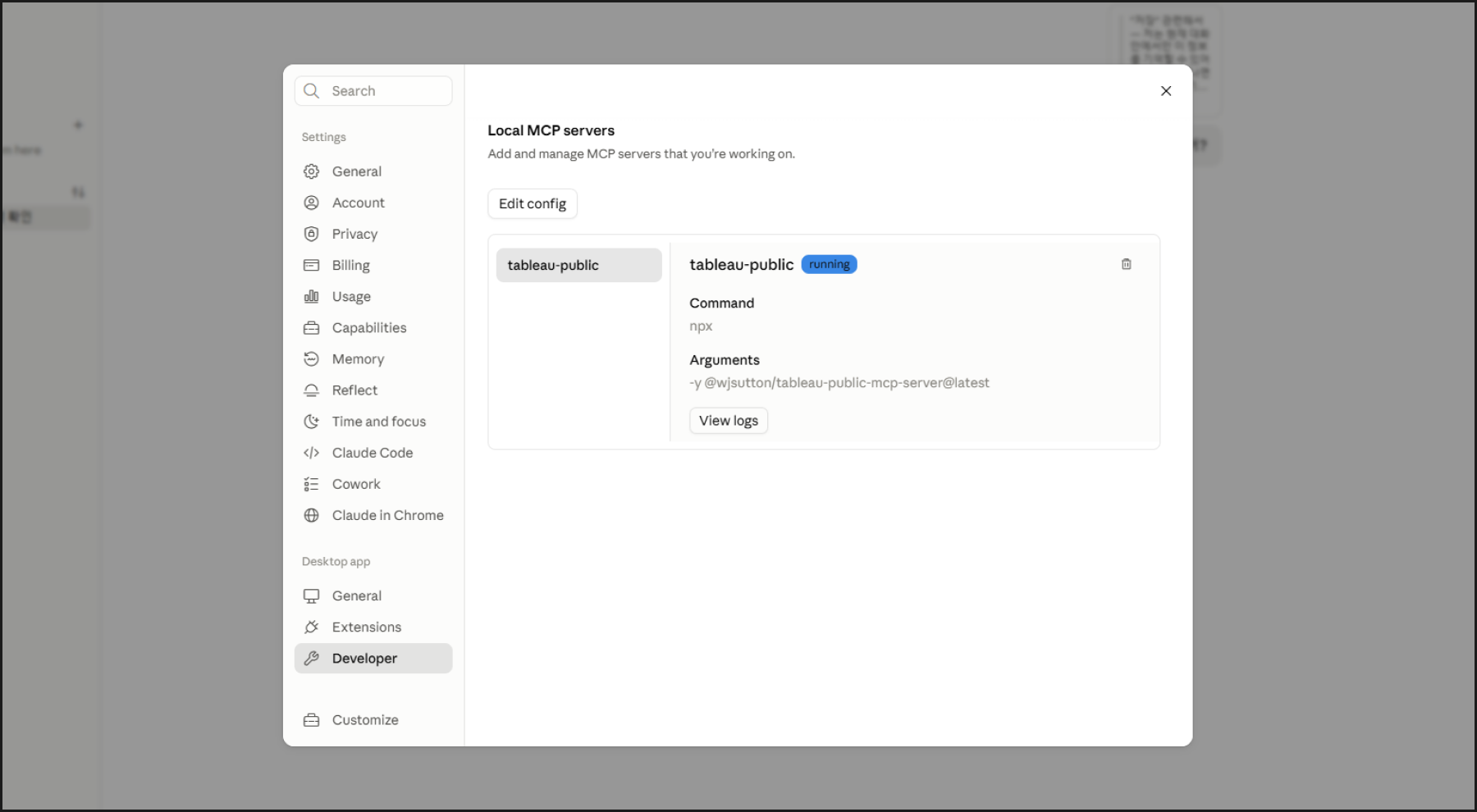
Connecting the Tableau Public Model Context Protocol (MCP) server to Claude Desktop allows you to explore public dashboards, retrieve metadata, download .twbx workbooks, and reverse-engineer calculation fields and LOD expressions directly through natural language.
This setup is based on the open-source project created and maintained by Tableau Visionary Will Sutton (tableau-public-mcp-server on GitHub). Here is the complete guide using Node.js and the claude_desktop_config.json configuration file.
 wjsutton
Prerequisites
- Node.js (LTS Version): Required to execute the MCP server runtime via
npx. - Claude Desktop App: Downloaded and installed from the official Anthropic website.
Step 1. Open the Claude Desktop Configuration Directory
- Launch Claude Desktop.
- Navigate to Settings ➔ Developer.
- Under the Local MCP Servers section, click the Edit Config button.
- Your OS file explorer will open the directory containing
claude_desktop_config.json.
Direct File Paths:Windows:%APPDATA%\Claude\claude_desktop_config.jsonmacOS:~/Library/Application Support/Claude/claude_desktop_config.json
Step 2. Update claude_desktop_config.json
Open claude_desktop_config.json in a text editor and register Will Sutton's tableau-public MCP package under "mcpServers":
{
  "mcpServers": {
    "tableau-public": {
      "command": "npx",
      "args": ["-y", "@wjsutton/tableau-public-mcp-server@latest"]
    }
  }
}
If other preferences already exist in the file, merge the "mcpServers" property at the root level and ensure proper JSON formatting.
Step 3. Restart Claude Desktop and Verify the Connection
- Save the JSON configuration file.
- Quit Claude Desktop completely and restart it (ensure the background process is terminated from the system tray on Windows).
- In a new conversation prompt, ask:
"Is the Tableau Public MCP connected?"
When connected successfully, Claude will list the available Tableau Public tools:
- Search Vizzes & Authors: Query creator profiles, followers, favorites, and workbooks.
- Viz of the Day (VOTD): Fetch the latest featured dashboards.
- Workbook Structure Analysis: Download
.twbxfiles, inspect calculated fields, parse LOD expressions, and review data source profiles.