Vizney
  • Home
  • About
  • Chart Guide
  • Knowledge Base
  • Tips & Tricks
  • Gallery
  • Contact
Sign in Subscribe
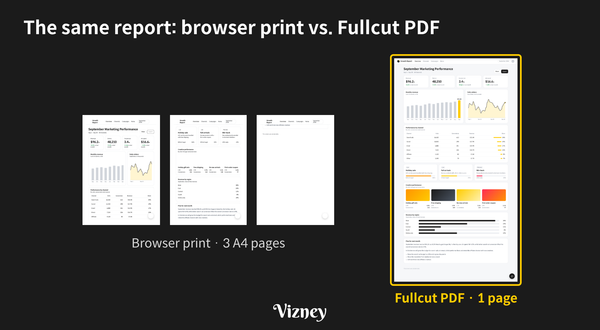
The same report at the same scale. Browser print splits it into three A4 pages and drops the right side of the chart and the background-color elements, while the Fullcut PDF keeps it as one l
Tips & Tricks Featured

Screenshot or PDF? How to Feed a Long Web Page to AI (feat. Fullcut)

For a long page you want AI to analyze, a PDF beats a screenshot. Here’s how to save an entire web page as one PNG or a one-page PDF with Fullcut.
31 Oct 2026 2 min read
Analyzing Tableau Workbooks with Fewer Tokens (feat. Claude)
Tips & Tricks Featured

Analyzing Tableau Workbooks with Fewer Tokens (feat. Claude)

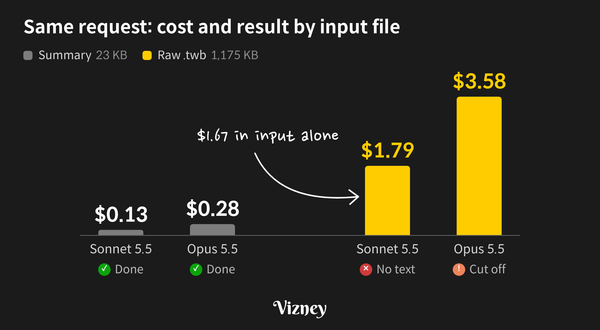
When you analyze a Tableau workbook (.twb) with Claude, token usage depends far more on what Claude reads than on which model you use. For the Superstore sample, a summary of only the elements you need came to 1.3% of the raw file’s tokens. On the same handover-
18 Oct 2026 3 min read
Cleaning Up Calculation Names Across Workbooks (feat. Claude)
Tips & Tricks Featured

Cleaning Up Calculation Names Across Workbooks (feat. Claude)

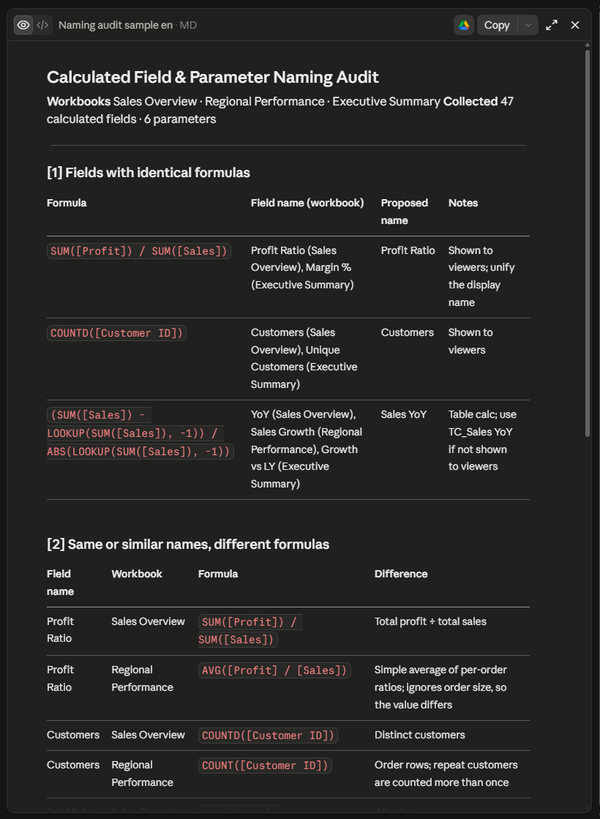
As workbooks multiply and more people build them, the same calculation ends up under different names in different files. Profit Ratio and Margin % turn out to be the same formula — and two fields both called Profit Ratio return different values in different workbooks. With Tableau MCP connected, paste the prompt
24 Sep 2026 3 min read
Analyzing Tableau Public Dashboards (feat. Claude)
Tips & Tricks Featured

Analyzing Tableau Public Dashboards (feat. Claude)

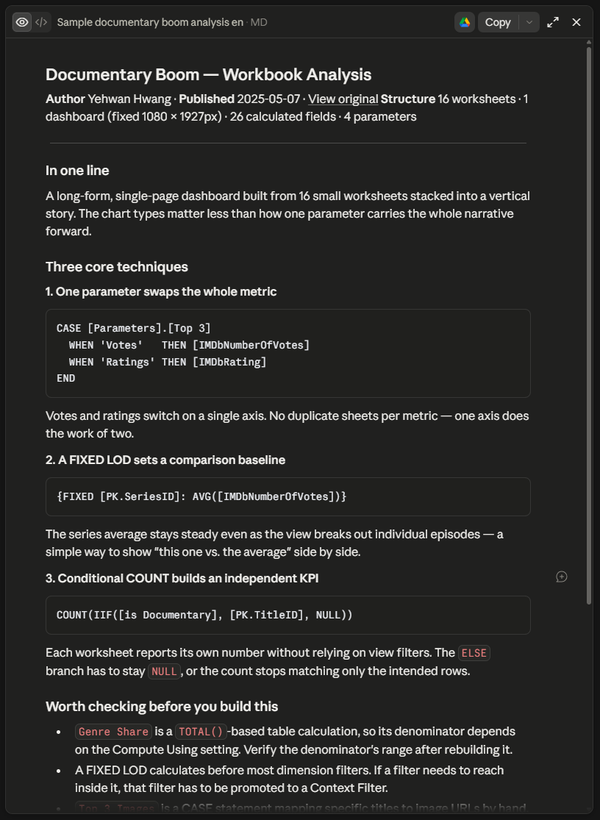
A well-built Tableau Public dashboard is a study resource in itself. With Tableau Public MCP connected, Claude can download the .twbx from a URL and inspect its calculated fields, LOD expressions, and sheet structure. The catch is that asking Claude to "analyze this dashboard" usually returns a
18 Sep 2026 2 min read
How to Quickly Navigate Tableau Documentation via URL Tricks
Tips & Tricks

How to Quickly Navigate Tableau Documentation via URL Tricks

Instead of clicking through complex navigation menus, you can quickly jump to specific Tableau Help pages by directly editing segments in your browser’s URL bar. Tableau Help URLs follow a standard hierarchy: https://help.tableau.com/[VERSION]/[PRODUCT_OR_OS]/[LANGUAGE]/[PAGE_NAME].htm 1. Switching OS Environments To
20 Aug 2026 1 min read
Maximizing Tableau URL Actions: 5 Useful Links for Your Dashboards
Tips & Tricks

Maximizing Tableau URL Actions: 5 Useful Links for Your Dashboards

You can allow users to jump straight to relevant web search results simply by clicking a specific 'product' or 'client' on a dashboard. Tableau’s 'Go to URL' action eliminates the need to manually open a new browser tab and type search queries. Simply
13 Aug 2026 1 min read
How to Create an Interactive Custom Legend for Tableau Heatmaps
Tips & Tricks

How to Create an Interactive Custom Legend for Tableau Heatmaps


Heatmaps are highly effective for capturing overall data trends by expressing metric sizes through color gradients. However, relying solely on color shading makes it challenging for users to pinpoint precisely where a specific cell's value falls within the entire spectrum. Tableau's default color legend is purely
09 Aug 2026 2 min read
Why Tableau's 'Special Values (Null)' Formatting Fails and How to Fix It
Tips & Tricks

Why Tableau's 'Special Values (Null)' Formatting Fails and How to Fix It

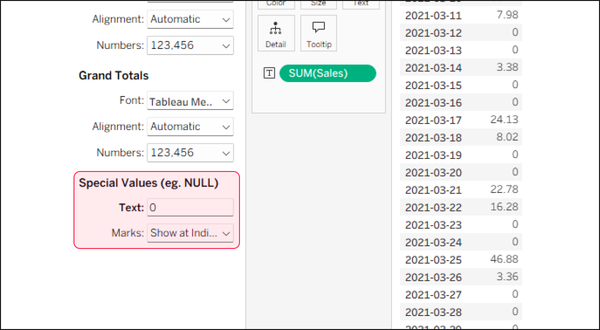
When building a text table (crosstab) in Tableau, the quickest way to fill blank cells with zeros is by entering '0' in the [Special Values (e.g., Null)] text box under the Format pane. However, you might have noticed that this feature feels inconsistent—sometimes the zeros appear
01 Aug 2026 1 min read
How to Insert Images in Tableau Tooltips
Tips & Tricks

How to Insert Images in Tableau Tooltips

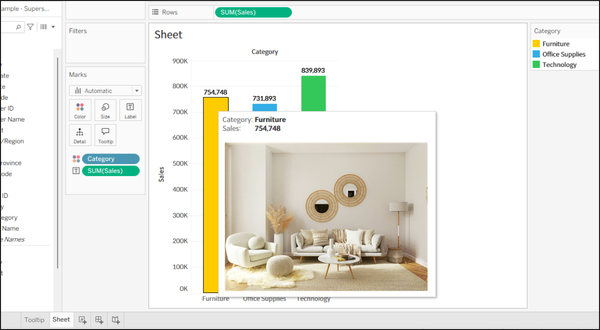
When designing Tableau dashboards, you might want to display a reference diagram, blueprint, or standard layout metric directly inside your hover tooltips. Adding a static image instead of a wall of text numbers significantly boosts dashboard readability and user comprehension. 💡While many creators consider using the "Shapes" mark
07 Jul 2026 2 min read
Simultaneously Displaying Max, Min, and Latest Labels on a Tableau Line Chart
Tips & Tricks

Simultaneously Displaying Max, Min, and Latest Labels on a Tableau Line Chart

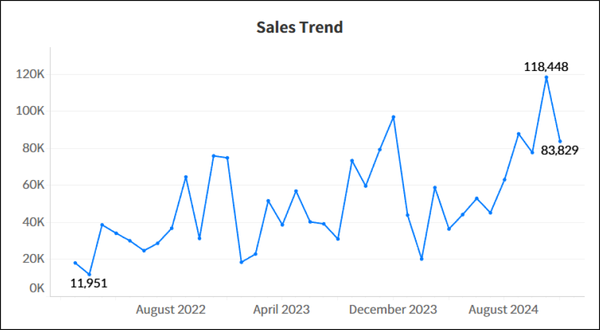
When analyzing sales trends over time using a line chart, dashboard users typically look for three critical pieces of information at first glance: the peak performance (Maximum), the lowest trough (Minimum), and the current status (Latest value). However, Tableau’s native mark label options restrict you to choosing either '
11 Jun 2026 2 min read
Formatting Axis and Tooltip Independently in Tableau
Tips & Tricks

Formatting Axis and Tooltip Independently in Tableau

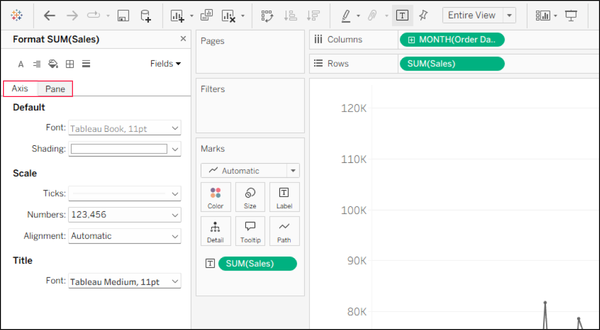
When building charts in Tableau, you often want the axis labels to display abbreviated numbers (e.g., 10K, 20M) while the tooltip shows precise values (e.g., 10,245). However, even if you set different number formats for the Axis and the Pane, the tooltip natively inherits the axis formatting

31 May 2026 1 min read
Improving Data Visibility with Emoji Number Formats in Tableau
Tips & Tricks

Improving Data Visibility with Emoji Number Formats in Tableau

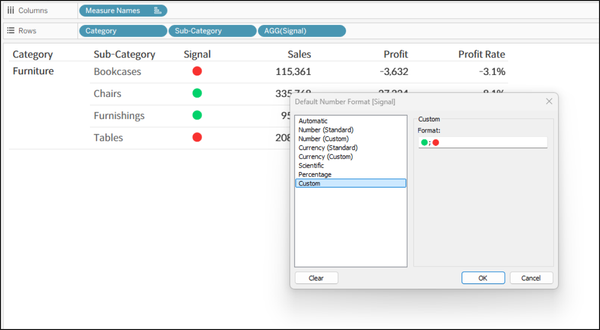
When building dashboards, displaying categorical data like 'Achieved/Failed' or general statuses purely as text can lack visual impact. While using Shape marks is a common workaround to add visual cues, it can be cumbersome when you simply want to add a quick highlight directly within a Text
21 May 2026 1 min read
How to Hide Duplicate Subtotals for Single Sub-Items in Tableau
Tips & Tricks

How to Hide Duplicate Subtotals for Single Sub-Items in Tableau

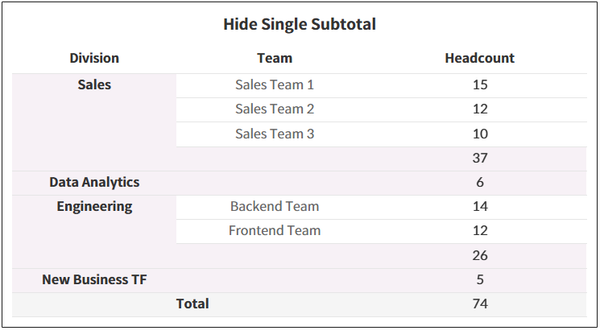
When adding subtotals to a table with two dimensions on the Rows shelf, Tableau duplicates the row if the second dimension has only one sub-item. This quick guide explains how to use a table calculation to hide these redundant rows and leave only a clean subtotal. 1. Create a
20 Mar 2026 2 min read
Improving the Readability of Overlapping Line Charts in Tableau
Tips & Tricks

Improving the Readability of Overlapping Line Charts in Tableau

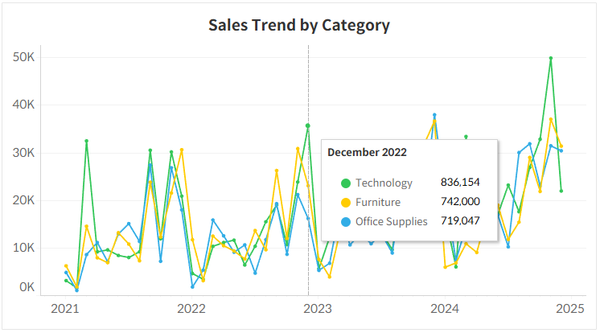
When creating multiple line charts, lines often converge or overlap in certain areas, making it difficult to read individual data values. By default, hovering over a line only reveals the value for that single item. This means users have to frustratingly navigate their mouse through narrow gaps just to compare
11 Feb 2026 1 min read
How to Add Pagination in Tableau
Tips & Tricks

How to Add Pagination in Tableau

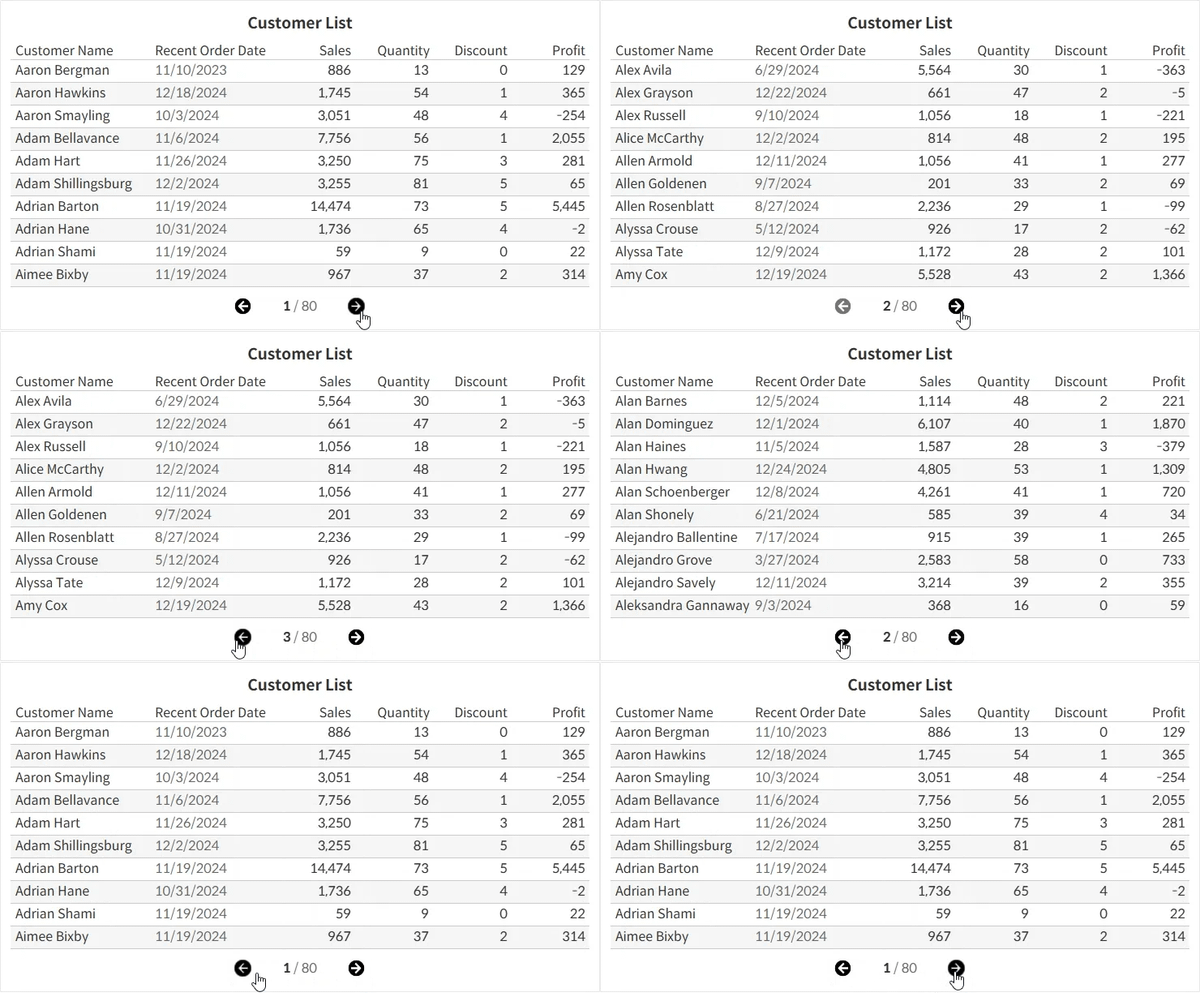
When a dashboard contains too many items to display at once, showing all the data on a single screen can be visually overwhelming and make exploration difficult. In such cases, applying a pagination approach allows you to divide the data across multiple views for a cleaner and more organized presentation.
06 Nov 2025 3 min read
Showing the Difference Between Two Points in a Tableau Line Chart
Tips & Tricks

Showing the Difference Between Two Points in a Tableau Line Chart

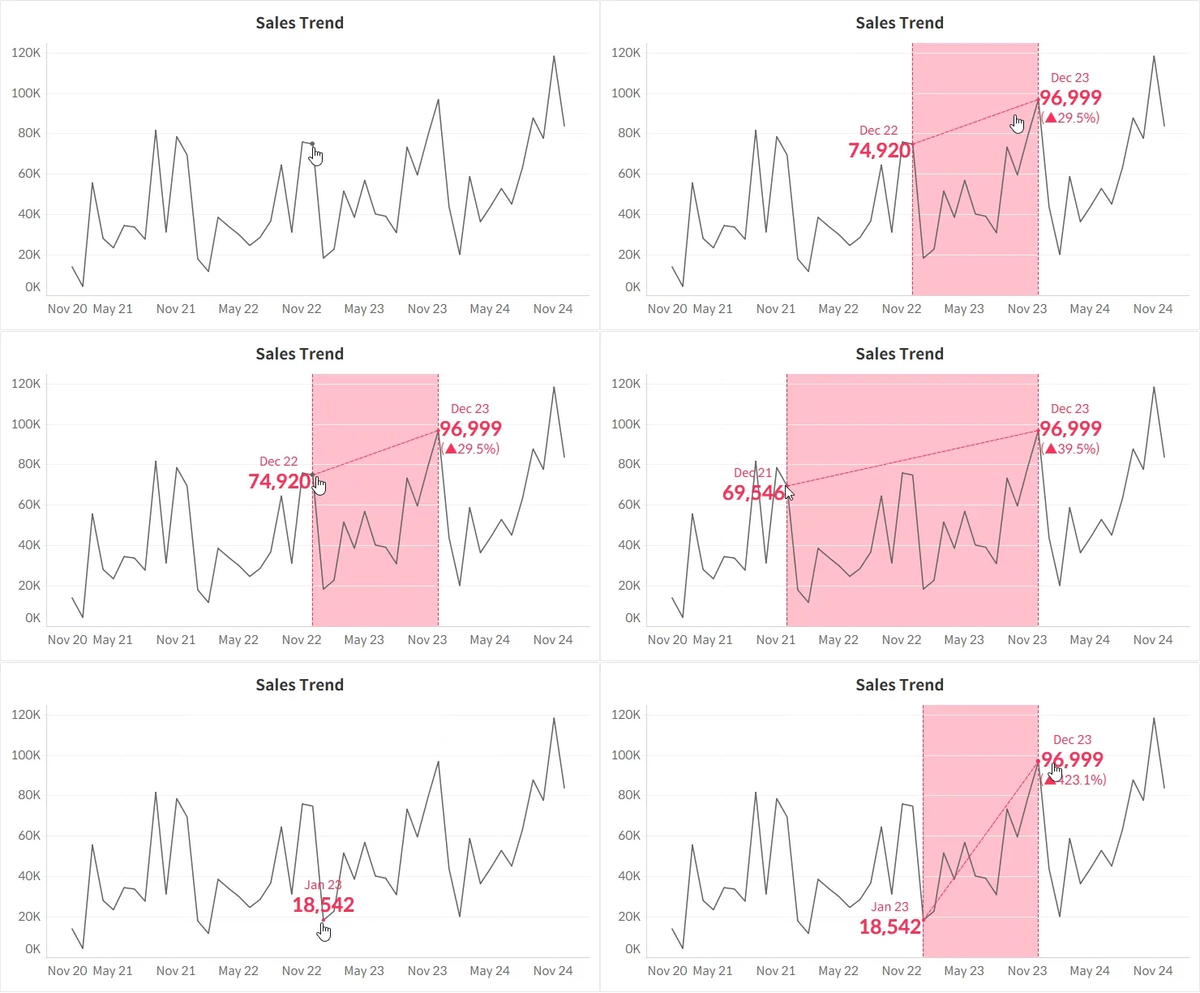
When working with a line chart, you may sometimes want to know the difference between two points. In such cases, you can use Tableau’s parameter actions to capture date values and apply them in conditional logic to display the rate of change directly on your dashboard. In this example,
10 Sep 2025 3 min read
Drawing Origin–Destination Paths in Tableau
Tips & Tricks

Drawing Origin–Destination Paths in Tableau

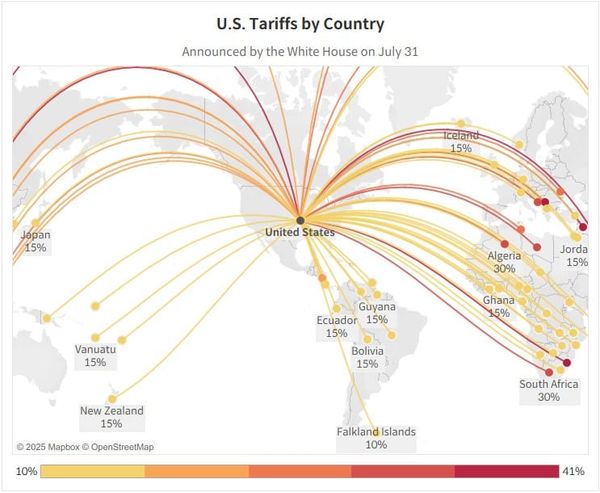
In Tableau’s map charts, you can not only visualize the locations of individual points but also draw connecting lines between them. This feature is particularly useful for showing relationships between countries or visualizing movement paths between locations. However, it requires that you have the latitude and longitude information for
14 Aug 2025 2 min read
Hiding Date Field Drill-Down in Tableau
Tips & Tricks

Hiding Date Field Drill-Down in Tableau

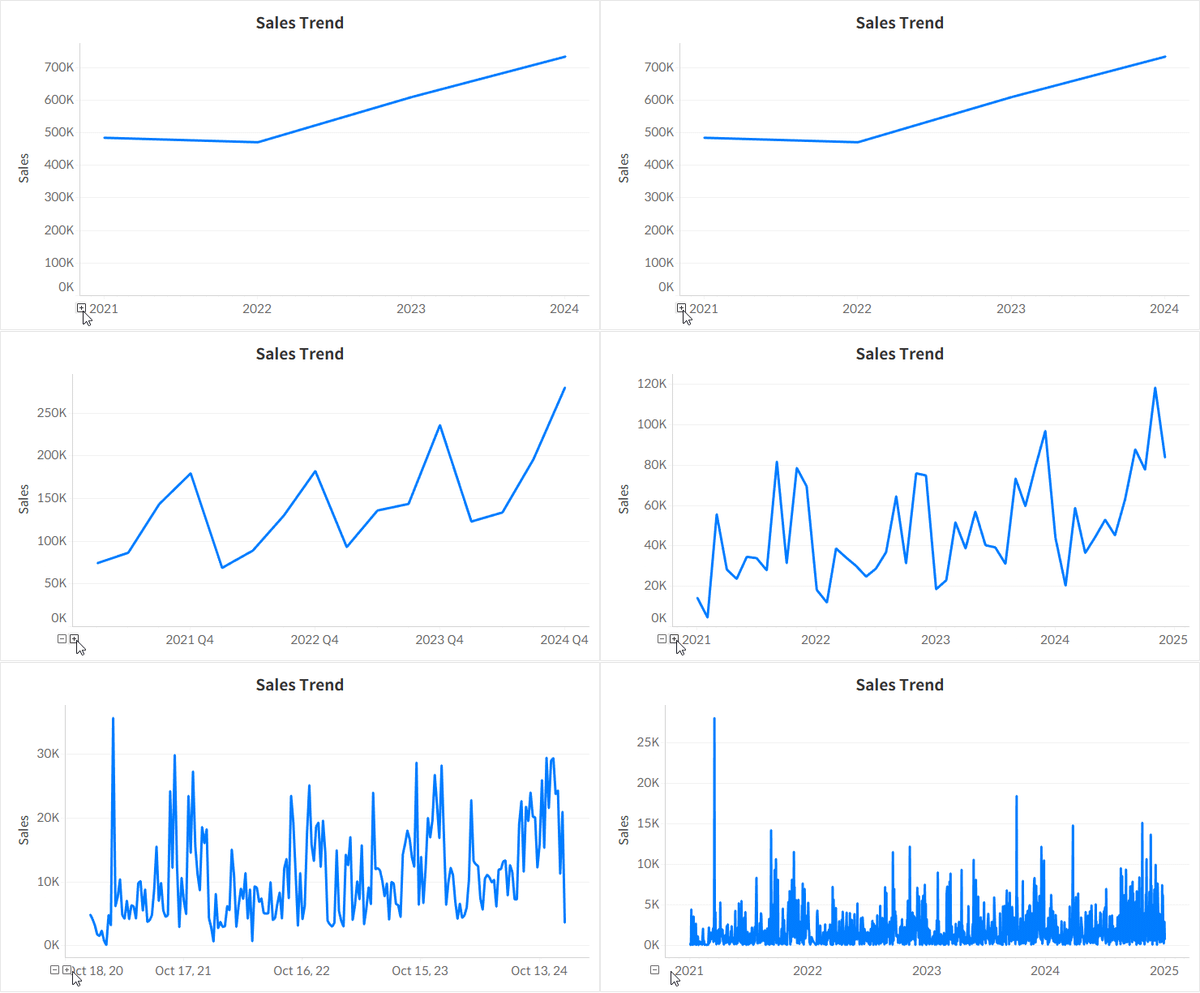
When a dashboard is built based on a specific date aggregation level, you can use Tableau’s custom date feature to prevent the drill-down button from appearing.
15 Jun 2025 2 min read
Using Date Parameter in Tableau
Tips & Tricks

Using Date Parameter in Tableau

This article covers key points to keep in mind when working with date parameters in Tableau, especially given the wide variety of user needs.
06 Jun 2025 3 min read
Adding Country Flag Icons in Tableau
Members only
Tips & Tricks

Adding Country Flag Icons in Tableau

This guide explains how to add flag images in Tableau using its feature that allows dynamic image insertion.
30 May 2025 2 min read
Trellis Arrangement in Tableau
Tips & Tricks

Trellis Arrangement in Tableau

This is a useful technique when there are too many items to display in a single row or column, making it difficult to compare them effectively.
10 Apr 2025 2 min read
Synchronize Axis Heights Across Sheets in Tableau
Tips & Tricks

Synchronize Axis Heights Across Sheets in Tableau

This guide explains how to keep the axis scale consistent for a single measure across multiple sheets.
02 Apr 2025 1 min read
Adding Reference Labels with Arrows on Axes in Tableau
Tips & Tricks

Adding Reference Labels with Arrows on Axes in Tableau

When a sheet is too complex to add reference lines without cluttering the visualization, you can use arrows to display additional information in a simpler way.
14 Mar 2025 2 min read
Issue of Missing Axis Rulers in Tableau Desktop
Tips & Tricks

Issue of Missing Axis Rulers in Tableau Desktop

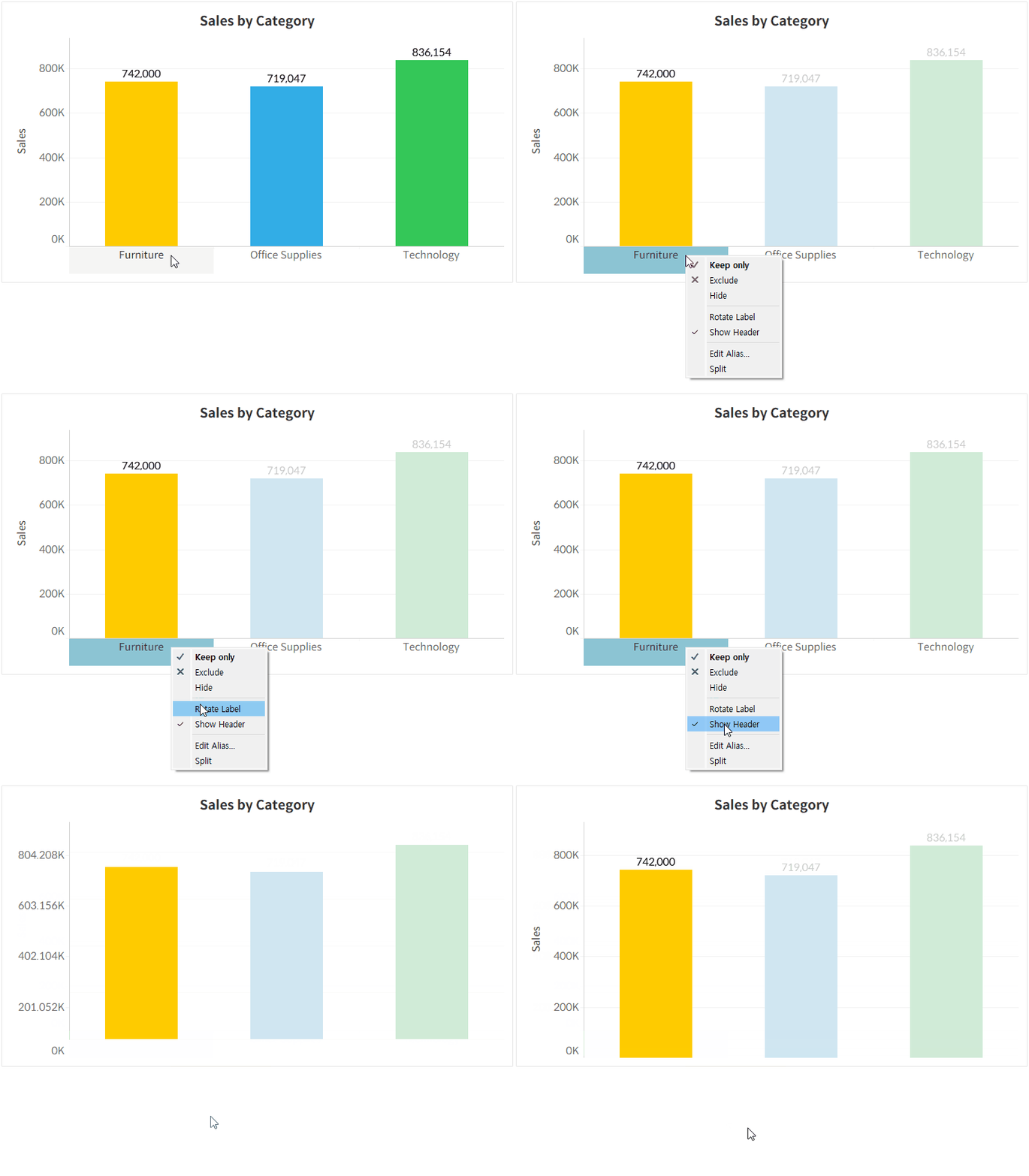
This issue occurs when the header display for the column shelf is hidden.
11 Mar 2025 1 min read
Easily Add Value and Display As to Parameter List in Tableau
Tips & Tricks

Easily Add Value and Display As to Parameter List in Tableau

Here’s a convenient way to work with parameter lists where the Value and Display As are different.
20 Dec 2024 1 min read
Page 1 of 2 Older Posts →
Vizney © 2026
  • Sign up
Powered by Ghost