
Using Claude at Work: Data Settings to Check on a Personal Plan
The settings to check when you use a Claude personal plan for work, and the cases where conversations are retained even with training turned off.

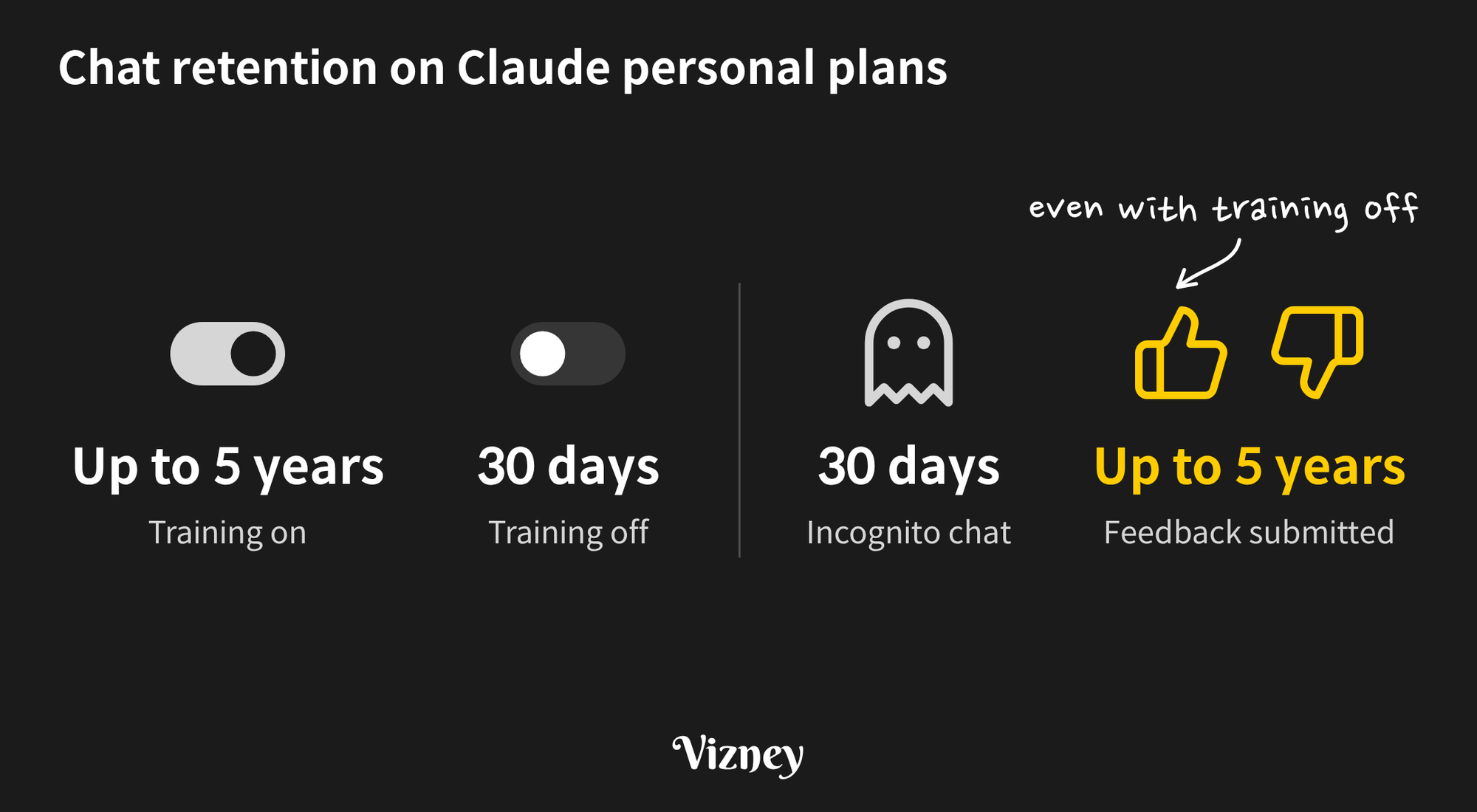
How Claude handles the company data you enter depends on your plan. Commercial plans such as Team and Enterprise do not use conversations for model training by default. Personal plans (Free, Pro, and Max) follow the settings you choose. If you use a personal plan for work, turn off the training setting first, and also know when conversations are retained regardless of that setting.
1. Which settings should you check on a personal plan?
The model training setting comes first. The others are the ways company information can stay in your account or become visible to other people. The training setting, shared links, and the feedback you have sent are all on the Settings → Privacy page.
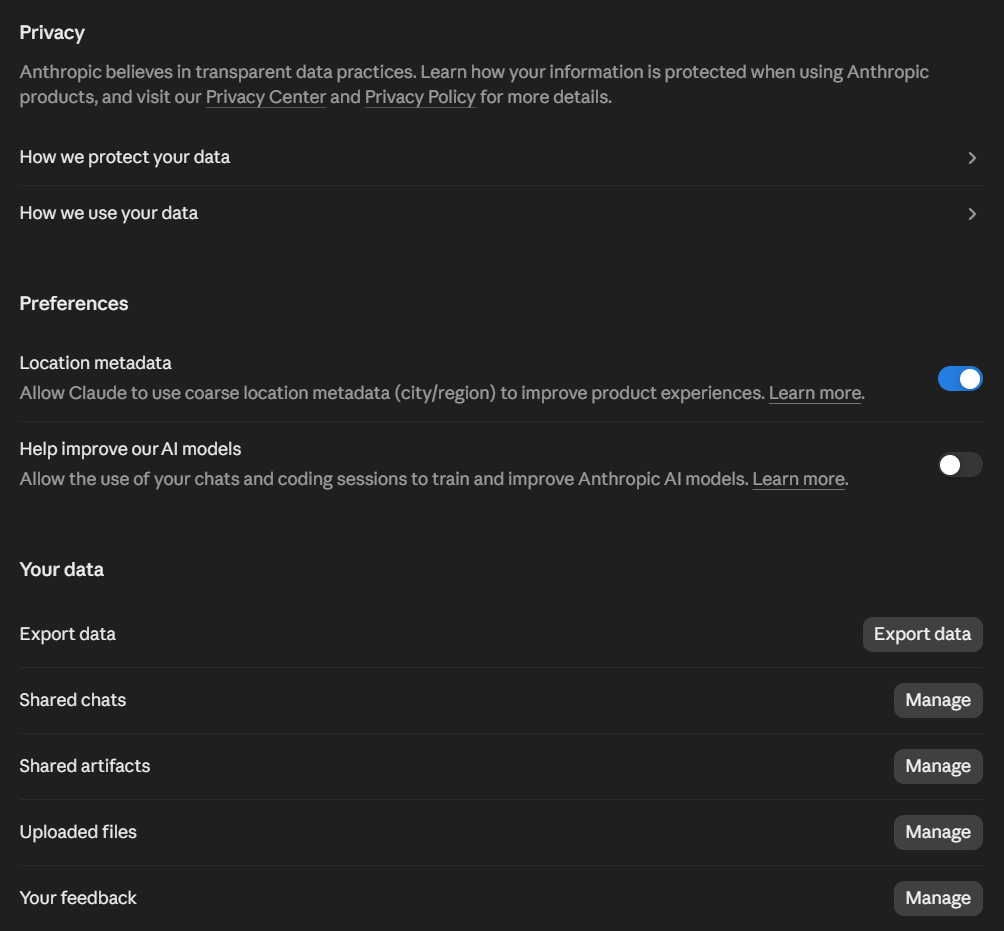
- Model training: This is the “Help improve our AI models” toggle on the Privacy page. When it is on, new or resumed chats and Claude Code sessions can be used for training and are retained in de-identified form for up to 5 years. When it is off, retention is 30 days, and both previous and new chats are excluded from future training. Data already included in training runs in progress or in trained models stays there, so it is best to turn this off before any company data goes in.
- Shared links: Anyone with the link can view a shared chat. They see every message and artifact up to the moment you shared it, but not attached files. No expiration period is documented, so unshare links you no longer need from the shared chats and shared artifacts lists under Settings → Privacy.
- Memory: Memory is on by default on personal plans, and Claude saves what you discuss as individual topics. Review the saved topics in Claude’s memory settings. You can delete any that contain client or project details, or pause memory.
- Incognito chats: They are not saved to your chat history or memory and are not used for training, even with the training setting on. They are still retained on Anthropic’s servers for 30 days. They suit one-off tasks that involve company data.
- Deleting a chat: A deleted chat disappears from your history immediately, is deleted from Anthropic’s servers within 30 days, and is not used for future training.
2. Are any conversations retained even with training turned off?
Yes. The main case is thumbs up / thumbs down feedback. Clicking either button opens a feedback dialog, and submitting it sends the entire conversation, including custom styles and conversation preferences, to Anthropic. Even on an account with training turned off, the dialog states that submitting sends the entire current conversation to Anthropic for future model improvement.
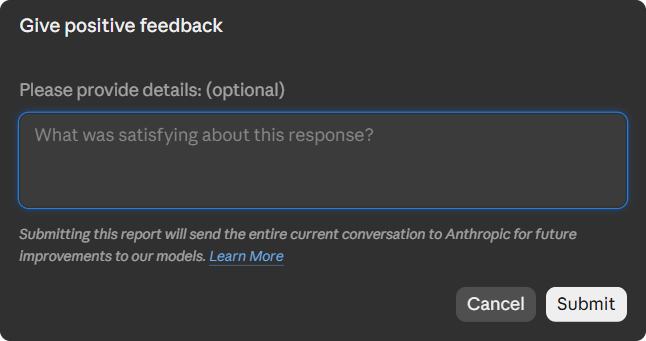
Submitted conversations are retained for up to 5 years and may be used for model training. Anthropic de-links feedback from your user ID before using it, but the conversation content is kept as is. Raw content from connectors such as Google Drive or MCP servers is excluded, but anything pasted into the chat is included, so avoid submitting feedback on conversations that contain company data. Feedback you have submitted is listed under Settings → Privacy.
Two other cases also have their own retention periods, separate from the training setting.
- Usage Policy flags: If automated safety systems flag a conversation as violating the Usage Policy, inputs and outputs are retained for up to 2 years and classification scores for up to 7 years. Conversations flagged for safety review may also be used for training.
- Legal requirements: Conversations may also be retained as required by law, to resolve disputes, or to address Usage Policy violations.
3. What is different on Team and Enterprise plans?
Team and Enterprise plans and the API are covered by Anthropic’s Commercial Terms and do not use inputs or outputs for model training by default. Because no training is the contractual default, it does not depend on each member’s settings. Shared chats open only to members of the same organization, and memory is available only when an owner enables it. Conversations submitted as feedback may still be used for training on these plans. For that reason, a Primary Owner or Owner can turn off the thumbs up / down buttons for all members with the Rate chats setting under Organization settings → Data and Privacy.
In practice, it is best to set a clear limit for a personal plan: training turned off, feedback, shared links, and memory under control, and no identifiable company data entered. Anything beyond that should be decided by an organization plan and your company’s security policy.
Requests that only need structure, such as writing a calculation, do not require real data on any plan. To get a year-over-year calculation for a sales table, send column names, data types, and five rows of made-up values instead of an extract with real customer names and amounts.
Note:
This post is based on the following sources as of October 2026. These policies may change with future updates.
- Anthropic Privacy Center: data retention, and training on personal plans and commercial plans
- Claude Help Center: incognito chats, memory, and sharing chats